2 Mark a conversation as unread
1.Function Introduction
When you don't have time to deal with a conversation, you can mark it as unread so that you can deal with it later. If you have already viewed new messages in a conversation, even if you mark the conversation as unread, the message sender will still be shown that you have read the message.
2.Operation process
- Desktop
- Mobile
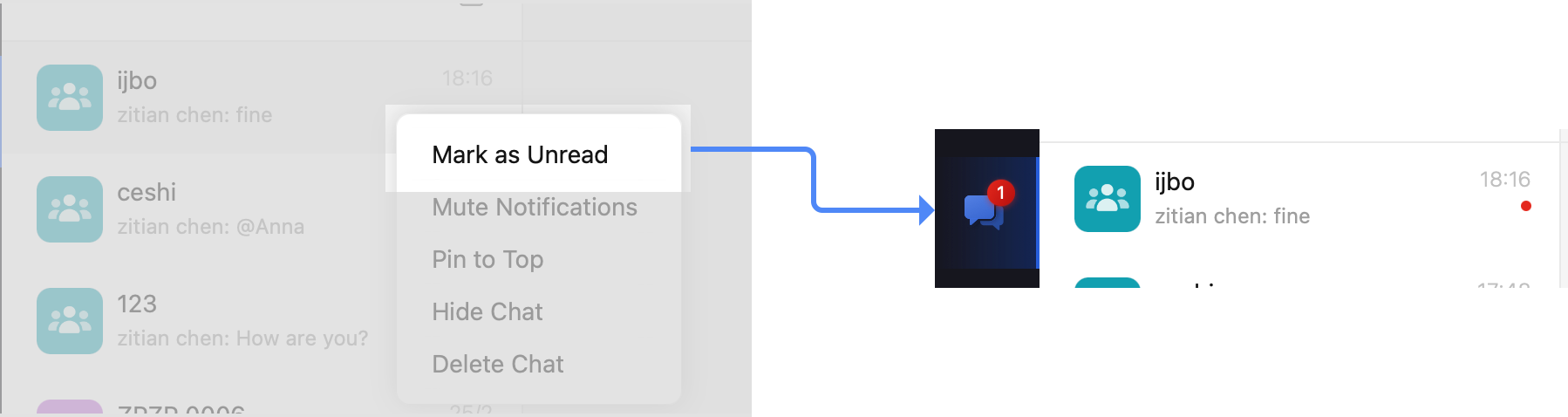
Right-click the conversation and select Mark as unread.
After marking, the conversation box will display a red dot, indicating the unread status. Right-click the conversation again and select Mark as read to mark the conversation as read, and the red dot will disappear.
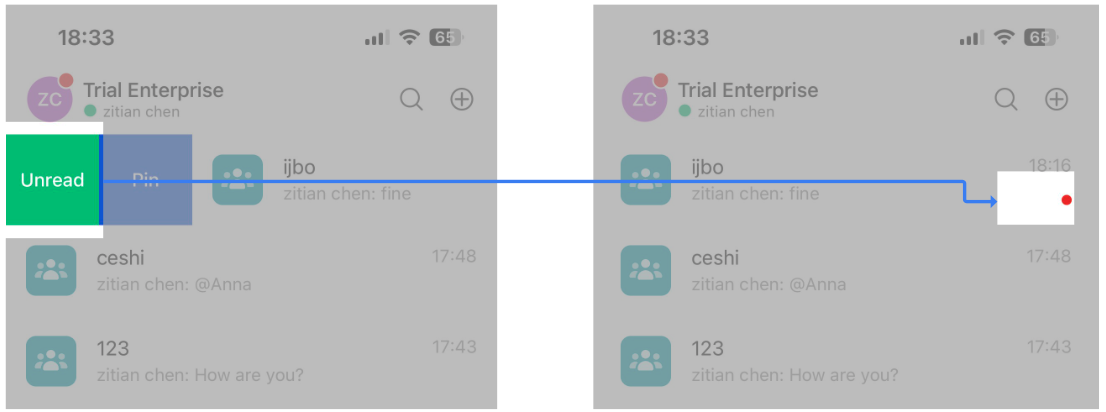
In the message list, swipe left on a conversation and select Mark as unread.
After marking, a red dot will appear in the dialog box to indicate unread status. Click the conversation again to enter the chat box to mark the conversation as read and the red dot will disappear.
3.Q&A
Q: How can a new message be considered read?
A: You need to enter the conversation interface to view the latest message content to consider the message as read; just viewing the new message preview will not show the message as read.